
There are two ways to access the eComFax platform and they depend on the way you purchased eComFax.
Purchased through a Telecommunications Marketplace that offers Single-Sign-On (SSO).
If you purchased eComFax through a Marketplace offered by your telecommunications provider, you will need to log into your relevant marketplace solution that you purchased eComFax through. Find the area where your eComFax application is stored and select to login.
Tip: If you do not know your credentials for your relevant marketplace, contact that marketplace or use their specific password recovery process!
The credentials you used to access that specific marketplace will be enough to log into eComFax without any other credentials.
Tip: If the eComFax icon does not appear in your marketplace or the link does not direct you correctly to eComFax, please contact your relevant marketplace helpdesk who will guide you through the process!
Purchased directly through eComFax or an Enterprise customer.
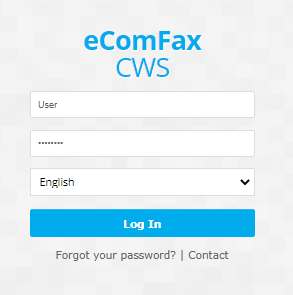
If you purchased eComFax directly or you are an Enterprise customer, you can access eComFax directly through the URL: https://www.ecomfax.com/user/ using the username and password provided to you upon subscription.
If you do not remember the credentials to access the platform you can use the password recovery process, by selecting "Forgot your password?"
Any further issues, you can open a support ticket from the main help page and a representative from eComFax will be in touch to help you.