
Once logged in, the user will access the "Home" where he/she will be able to see four sections:
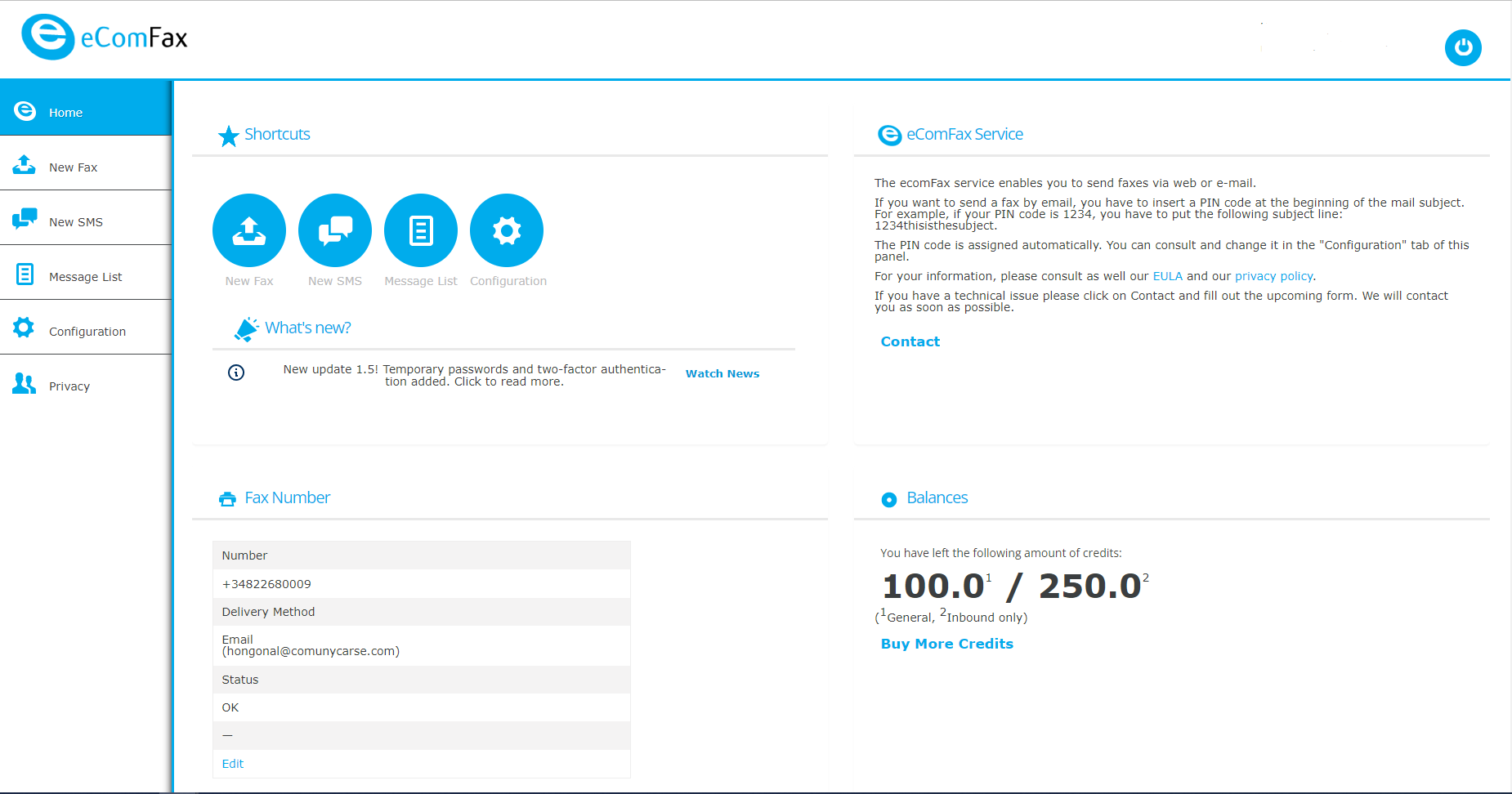
In the upper left corner where the Shortcuts section is displayed, the user can access some quick options such as sending a new fax or SMS, accessing the message list or the configuration section.
In the upper right corner in the eComFax Service section the user can access and read the terms and conditions of the service as well as the eComFax® privacy policy.
In the lower left corner in the Fax Number section, the user will see the eComFax® Account Information.
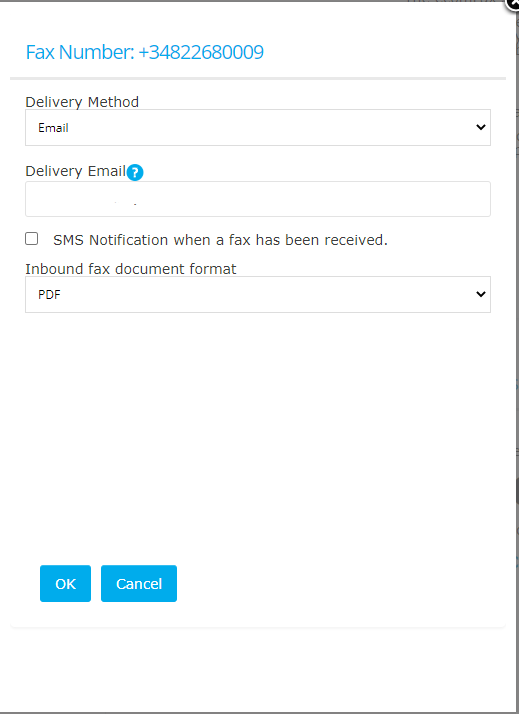
The fax number is the fax number associated with the user's eComFax® account. Like the fax number, an e-mail address is also associated with the user's eComFax® account. This means that any fax sent to the associated fax number will be received by the user's associated email address (Delivery Email).
The delivery email is the email address designated to receive incoming faxes. This is the same email address used when registering for the service and cannot be changed on this page directly, but by opening a ticket with the eComFax Technical Support Team at helpdesk@ecomfax.com. In addition, you can add additional email addresses to receive by typing in the Delivery Email field, separated by a semicolon and no spaces (up to 1024 characters).
It is also possible to add additional email addresses that can be used to receive incoming faxes sent to the associated fax number. To add more recipients for incoming faxes go to Settings > Send/Delivery and click on the "+" icon.

Please note that a maximum of three additional email addresses can be added within the same fax account/line. These email addresses can also be used for sending faxes. In the case of our Enterprise subscriptions, this is the same for email domains.
Any changes regarding the delivery method can be modified in the Delivery Form (default is "by email"). Other delivery methods are web services, PCI fax, secure fax, email + faxback and FTP. The latter allows interfacing with other third party systems that companies may use for document archiving (such as EMR systems for healthcare providers).
In this section, the user can also check the box to receive an SMS notification when a fax has been received, define the format of the incoming fax document (e.g. PDF, TIFF or searchable PDF) and specify the default language for optical character recognition (OCR), which can be used for indexing purposes, as eComFax® allows for a searchable fax format.
In the lower right corner (Balances) information about the "Balance" status of the user's account is available. This section shows the number of credits available in the user's account at any given time. These credits are used for sending and receiving. Users can also use credits for document processing or to use special features such as OCR, CertiFax, Secure Fax or PCI Fax. Users can also use credits to increase the archiving/storage period.