
The Notifications’ Subject of the incoming and outgoing faxes can be configured In the “Notifications” section. This allows viewing of the sender or the incoming faxes in the email list without having to open the message. This may also be used to format the message so it can be automatically used by a robot (CRM or Call Centre App) for categorization.
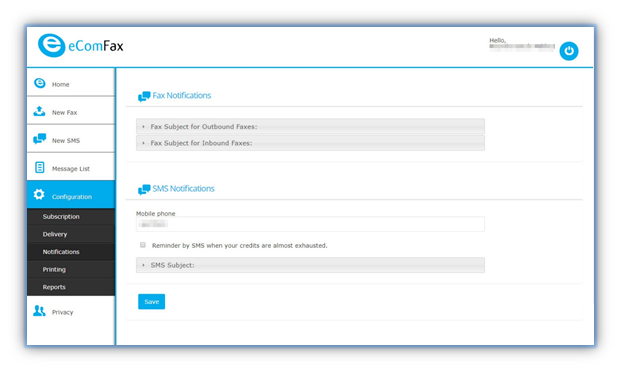
Fax Subject for Outbound Faxes: this field is used to personalize the subject of outgoing faxes.
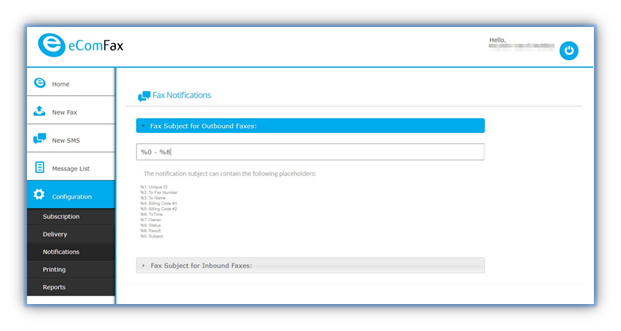
Your options here are:
- %1: Unique ID - This is the ID of the fax itself.
- %2: To Fax Number - The fax number you are sending to.
- %3: To Name - The name of the person you are sending to.
- %4: Billing Code #1
- %5: Billing Code #2
- %6: TxTime - The time in minutes and seconds it took to send the fax.
- %7: Owner - The email of the sender.
- %8: Status - The end status of the fax itself.
- %9: Result - The result of the transmission.
- %0: Subject - Any text accompanying the transmission.
Fax Subject for Inbound faxes: this field is used to personalize the subject of incoming faxes.
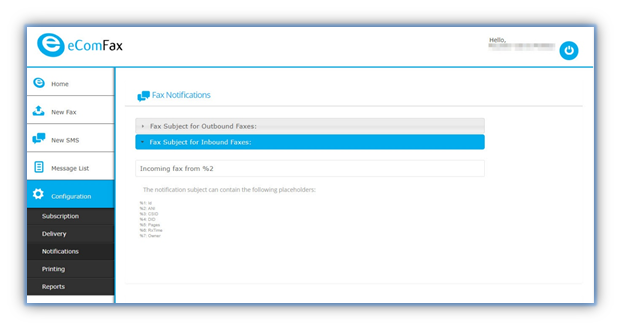
Your options here are:
- %1: Id - The remote-id of the sender.
- %2: ANI - The number the fax came from.
- %3: CSID - "Called Subscriber Identification" used on specific fax machines.
- %4: DID - "Direct Inbound Dial" This is the fax number it was sent to,
- %5: Pages - Amount of pages including any cover notes.
- %6: RxTime - The time in minutes and seconds it took to send the fax.
- %7: Owner - The sender of the fax.
Tip: Traditional fax machines may not hold all this information.
SMS notifications permit reporting the balance in your account and the receiving and sending of a fax. You should add a telephone number with the “+” symbol, followed by the international country code.
SMS Subject: This field is used to personalize the subject of SMS notifications. eComFax® permits SMS notifications reporting the balance of the user’s account (for instance, a reminder when the user has only 20% of available credits left) and when receiving and sending a fax. A telephone number should be added with the “+” symbol, followed by the international country code.
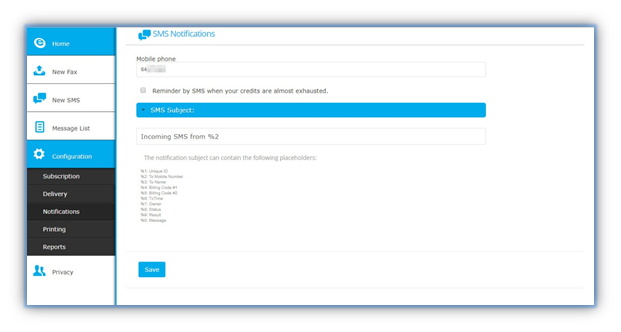
Your options here are:
- %1: Unique ID - This is the ID of the message itself.
- %2: To Mobile Number - The destination mobile number
- %3: To Name - The name of the person you are sending to.
- %4: Billing Code #1
- %5: Billing Code #2
- %6: TxTime - The time in minutes and seconds it took to send the transmission.
- %7: Owner - The sender of the fax.
- %8: Status - The end status of the fax itself.
- %9: Result - The result of the transmission.
- %0: Message - The message itself.
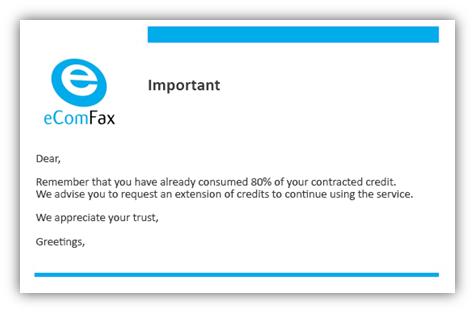
When the user has consumed 80% of available credits, they will receive a notification email. There is the possibility of receiving an SMS notification as well (mentioned above). Sending these SMS notifications will consume credits (1.5 credits per notification).
When the user sends a Fax and does not have sufficient credits, the service will cover the full transmission cost; however, the credits due will be paid when the user purchases additional credit packs.
When the user wishes to receive a Fax and does not have sufficient credits, the platform will not resend the image of the fax via email to the user. Instead, a notification message will be sent informing them about an incoming fax document. eComFax® platform will retain the document for a maximum period of 30 days or when the user regains sufficient credit.
Tip: You can add credit packs to your account via your Marketplace or the Subscription section.