
There are two types of business rules: case-based tagging rules and the rule as a notification.
The first business rule is the functionality that unites keyword tagging with the classification of interactions by case. That is, in business rules, you configure that the keywords that you have previously determined are classified by cases. In this way, if you have it configured as a keyword: unsubscribe and that keyword has been tagged as “Happy” so that the interactions with this tag are classified under the negative satisfaction case you must configure a business rule that says that that label is saved in the positive feedback case as you can see below:
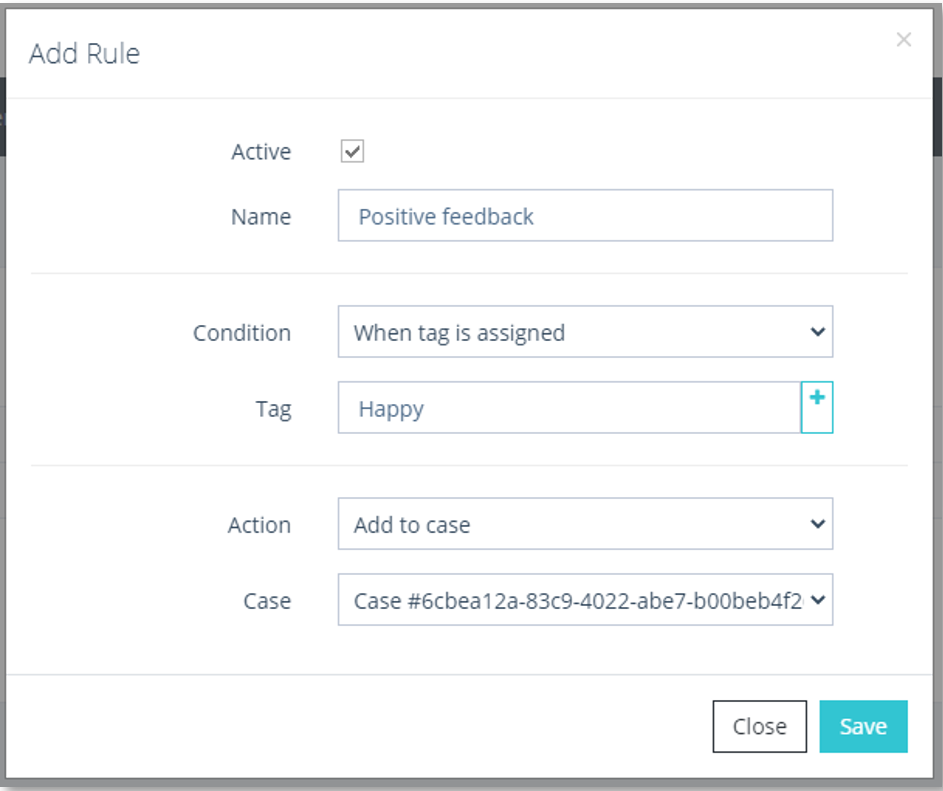
Add rule window
In addition to the keywords, you may configure a series of business rules for the system to send you a series of warnings once an entry has been created in a case.
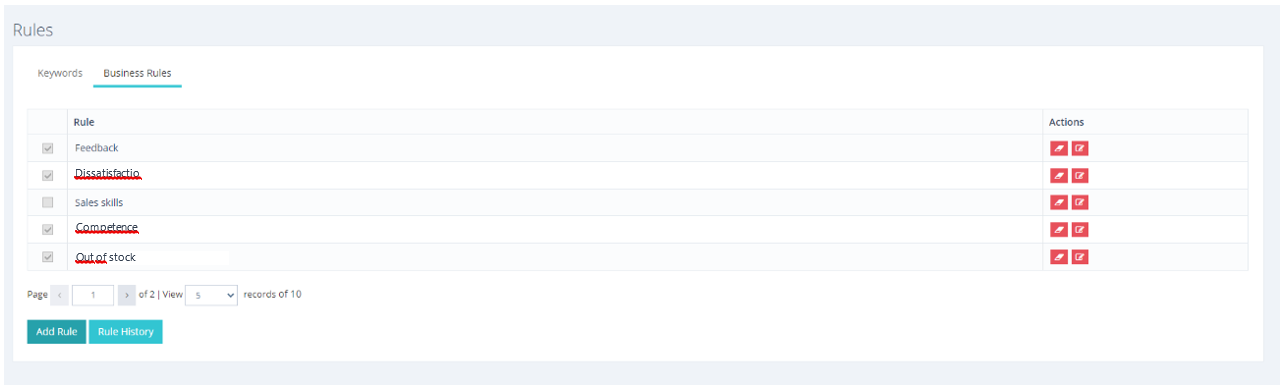
Business rules table
To add a new rule, you only must click on the Add Rule  button and a window will appear like the one in the previous image where you must configure the new rule.
On the other hand, it will also be possible to consult the history of rules through the homonymous button,  or what is the same, the history of the events that have happened in the last days.
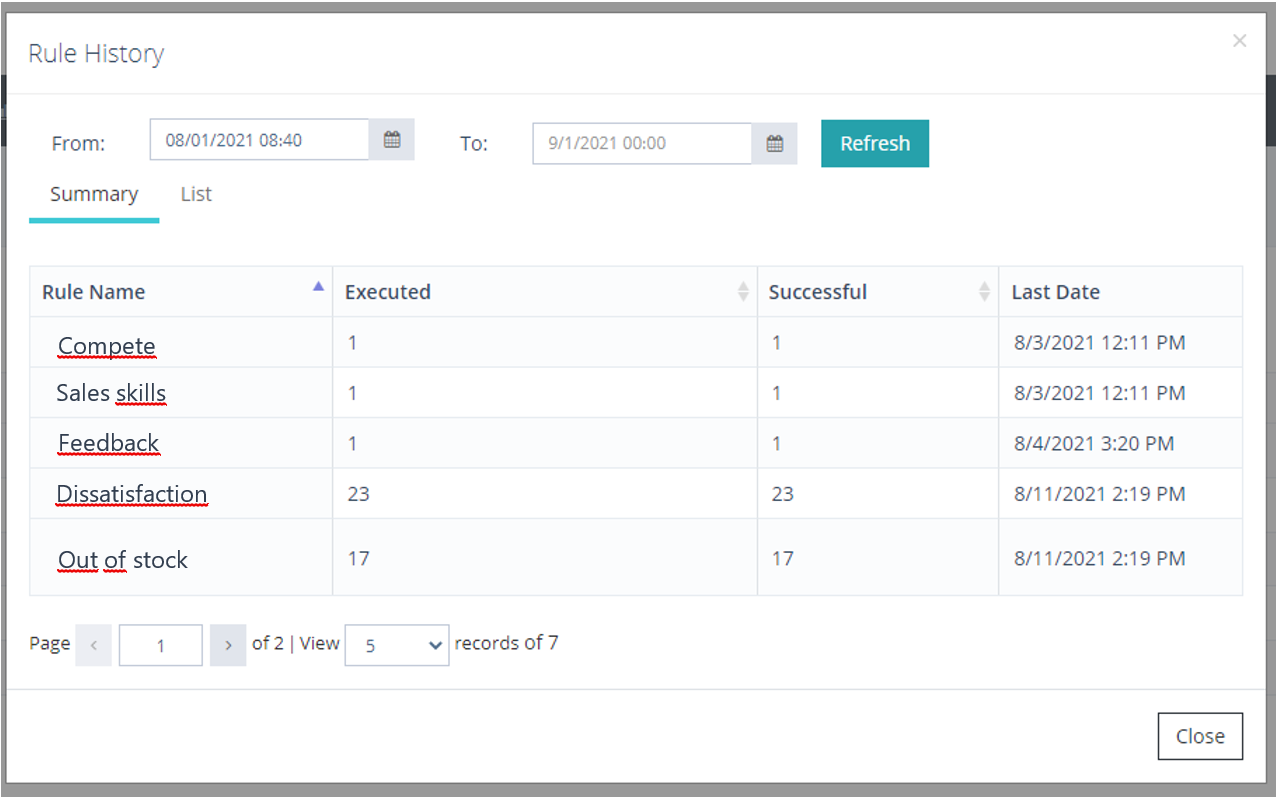
Rule history
In this table you can see the name of the configured rule accompanied by the number of times that event has occurred and the number of times it has occurred successfully, finally you can see the last date on which that event has taken place.