
SFTP is, for security reasons, the recommended option for downloading your recordings from Recordia®. Before you can download, you must contact Cloud Worldwide Services to jointly configure this secure access. You will need to supply:
- A public key is generated by your organization for authentication to the download server.
- Public IPs from which you will download to be able to open in the Firewall the requests coming from you.
For access to the SFTP server, you have to use an SFTP client such as Filezilla or WinSCP. You can access it at the URL
- Sftp://ftp.Recordia®.net/
- Port: 22
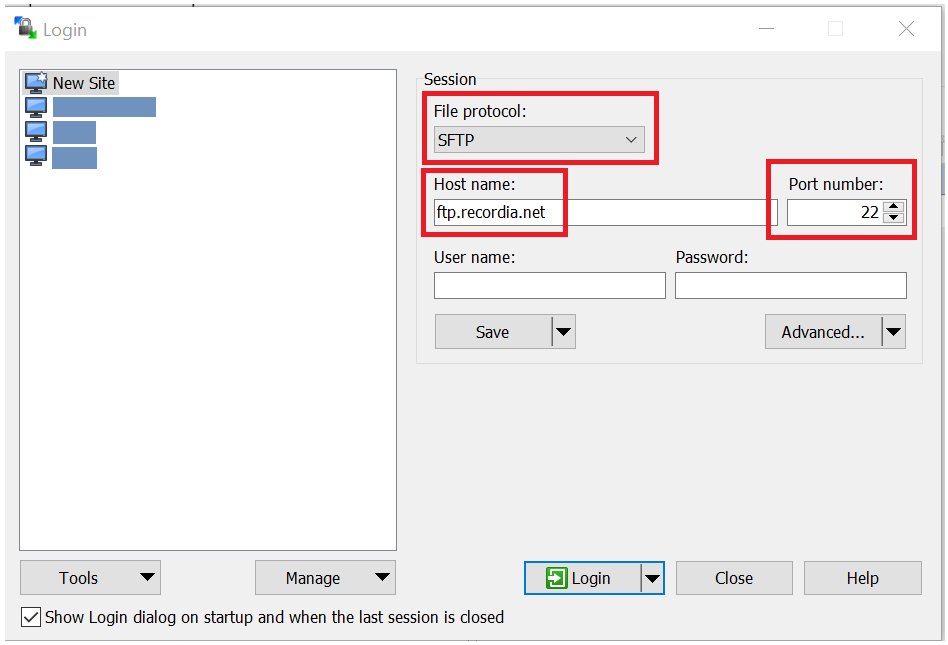
Connection detail with with WinSCP SFTP client.
Your private key, from the set of key pair whose public key was requested by CWS in the previous step, will be used to log in to the SFTP server.
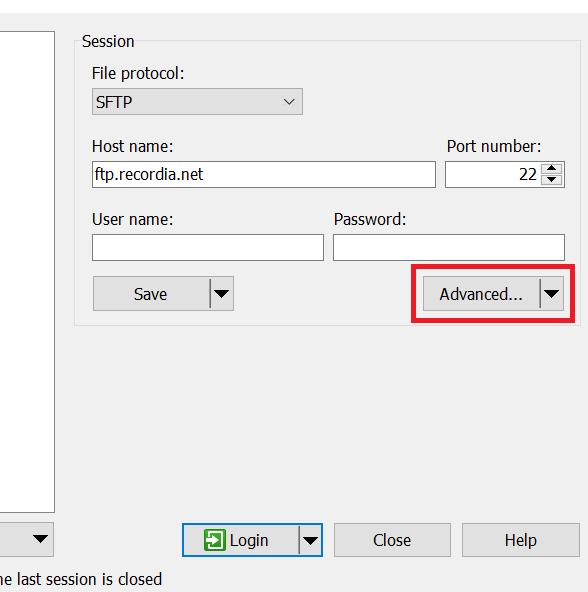
Click on Advanced to log in using your private key.
Enter your private key to log in to the download server.
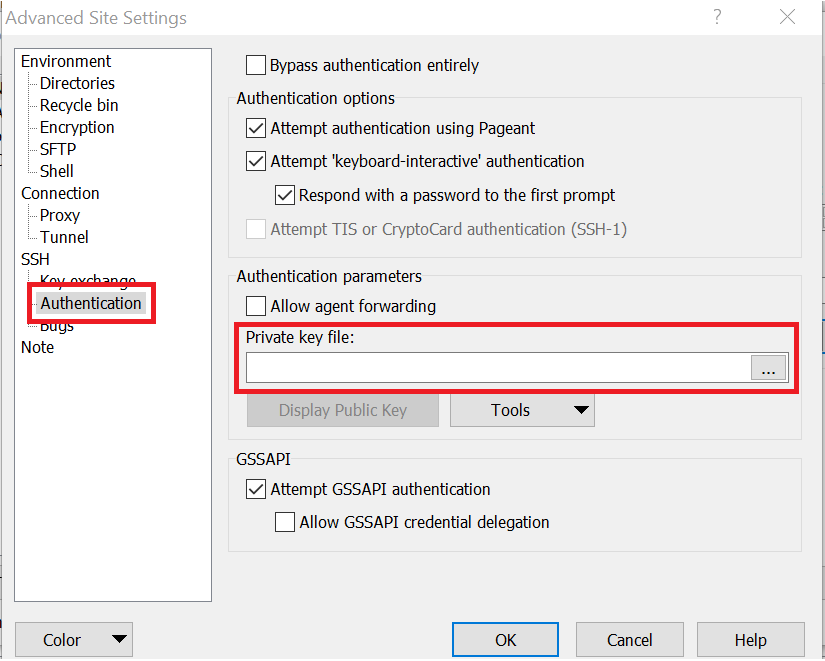
Enter your private key to log in.
After login, you will have access (always from the IP you have provided us) to the catalog of available sets.
Catalog of assemblies for download.