
You may have specific requirements regarding how often you need to collect your datasets. To do this you must configure the download of files where you can modify the following parameters:
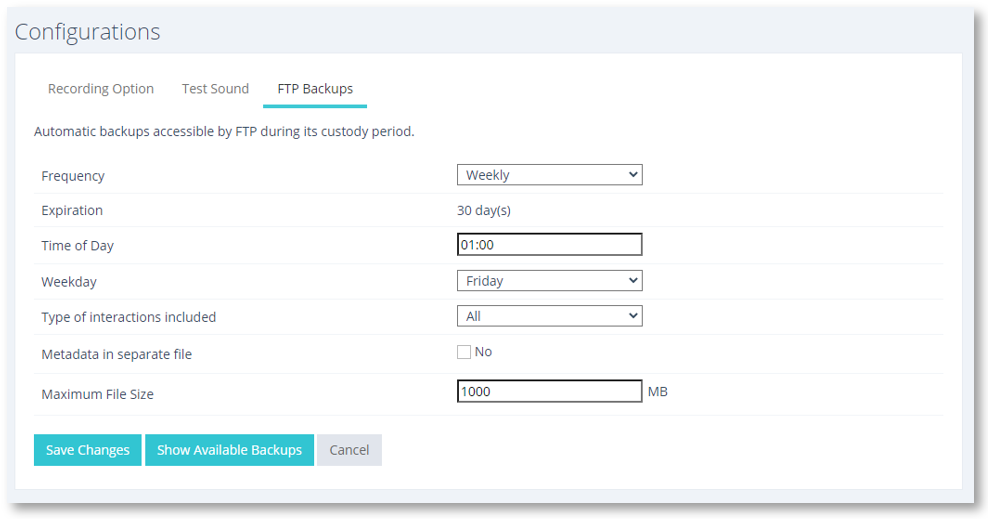
Select the frequency of data collection
- Frequency: Daily or weekly
- Expiration: nn days. This is the overall number of days allotted to custody.
- Time of day: This is the time of day when the collection will run.
- Day of the week: When you select Weekly, this will allow you to select the day of the week for the collection to take place.
- Type of interactions included: Recordia® does not only record interactions per call but also has a record of other types of interactions such as SMS or even conferences by Teams. Through this menu, you can choose what type of interactions you want to download.
- File metadata separately: in the case of wanting to save only the metadata of the recording it will be possible once this option is activated so that two files are downloaded per interaction: the audio file and the metadata
- Maximum file size: You can limit the larger file size to avoid too heavy downloads on your terminal.