
In this part of the platform, the user will be able to see the classification of calls by topics or cases. Recordia® through Key Word Spotting allows you to classify calls by cases, as well as download the reports of the cases in CSV.
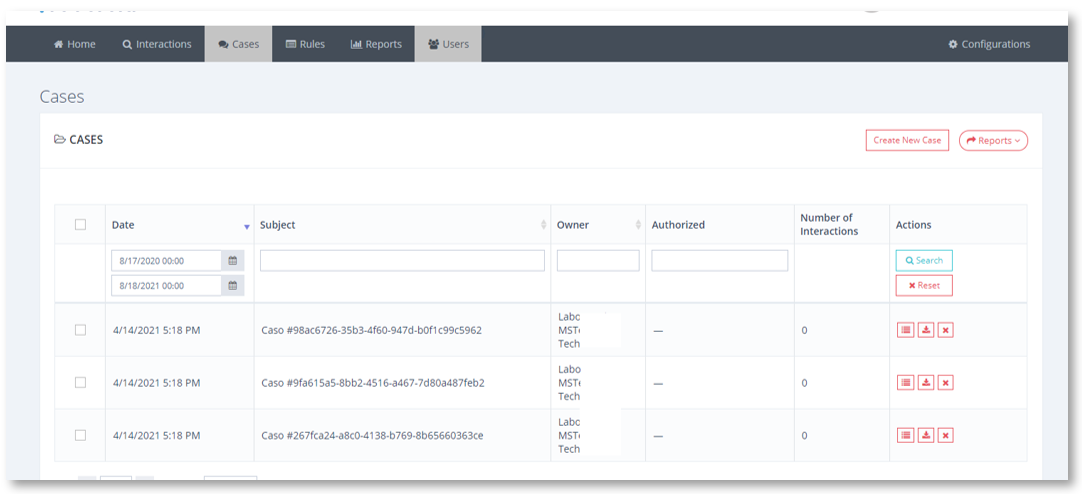
Case screen
In this first general table, you will be able to consult the cases created as well as the date of creation, the owner – that is, who created the case, the authorized ones, and the number of interactions saved under this label.
If you consider that a case is no longer useful to you, you can delete the case through the delete  button, an action that will not mean the elimination of the interactions but only of the label under which they are classified.